MCP Server
Herald exposes its MCP server through the primary herald mcp subcommand. It speaks JSON-RPC over stdio, reads the configured SQLite cache, and uses the daemon for tools that must mutate mail or talk to IMAP/SMTP live. The legacy herald-mcp-server binary remains available only as a compatibility wrapper for older MCP configs.
Install or Build
Section titled “Install or Build”go install github.com/herald-email/herald-mail-app/cmd/herald@latestherald mcp -config ~/.herald/conf.yamlFrom a local checkout, build the same primary CLI and substitute ./bin/herald
for herald in the examples:
go build -o bin/herald ./cmd/herald./bin/herald mcp -config ~/.herald/conf.yamlSmoke-test the server:
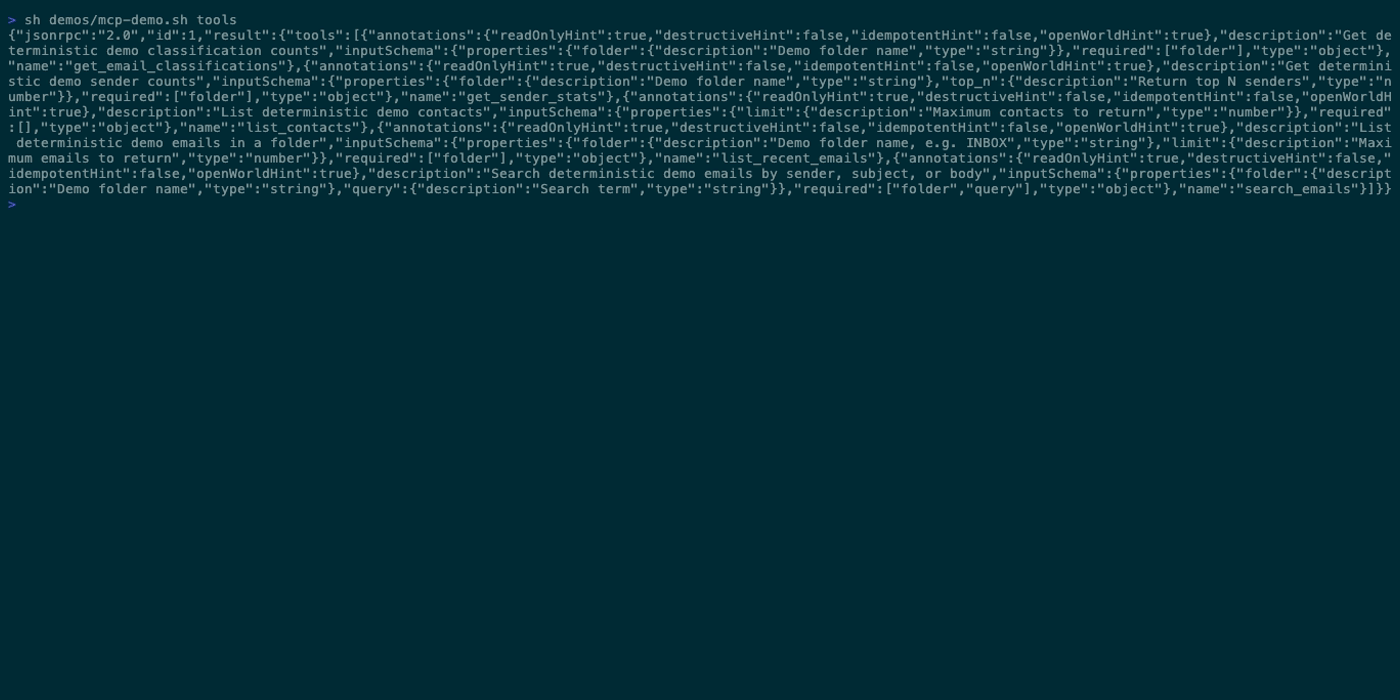
echo '{"jsonrpc":"2.0","id":1,"method":"tools/list"}' | herald mcp -config ~/.herald/conf.yamlIf the cache is empty, open the TUI first and let Herald sync at least one folder.
Readiness Checklist
Section titled “Readiness Checklist”MCP has a few capability levels because some tools read the SQLite cache while others need live IMAP, SMTP, attachments, or AI. Use the same -config path for the TUI, daemon, and MCP server so they share the same cache and daemon settings.
| Capability | Requirement |
|---|---|
| Cache-only read tools such as recent mail, unread mail, keyword search, sender stats, contacts, rules, dry-run cleanup previews, and stored classifications | Run the TUI or daemon long enough to sync the SQLite cache. |
| Body lookup, email summaries, action-item extraction, and draft-reply generation | Cache the message body first, usually by opening the email in the TUI. MCP listing outputs include message_id=... for these follow-up tools. |
| Semantic search, summarization, classification, action items, and AI draft replies | Configure an AI provider in settings or YAML. Ollama can also provide embeddings for semantic search. |
| Sync, drafts, attachments, send/reply/forward, folder mutation, cleanup execution, unsubscribe, and mail mutation tools | Start herald serve -config ~/.herald/conf.yaml before or during the MCP client session. The MCP server re-checks the daemon when a daemon-backed tool runs. |
Recommended live setup:
herald serve -config ~/.herald/conf.yamlherald statusecho '{"jsonrpc":"2.0","id":1,"method":"tools/list"}' | herald mcp -config ~/.herald/conf.yamlClient Examples
Section titled “Client Examples”Claude Code:
claude mcp add herald -- herald mcp -config ~/.herald/conf.yamlCursor .cursor/mcp.json:
{ "mcpServers": { "herald": { "command": "herald", "args": ["mcp", "-config", "~/.herald/conf.yaml"] } }}Codex:
CODEX_MCP_SERVERS='{"herald":{"command":"herald","args":["mcp","-config","~/.herald/conf.yaml"]}}' codexTool Categories
Section titled “Tool Categories”| Category | Tools |
|---|---|
| Read/search | list_recent_emails, search_emails, get_sender_stats, get_email_classifications, get_email_body, list_unread_emails, search_by_date, search_by_sender, semantic_search_emails |
| AI/classification | classify_email, classify_folder, summarise_email, summarise_thread, extract_action_items, draft_reply, list_classification_prompts, classify_email_custom, get_custom_category |
| Rules and cleanup | list_rules, add_rule, run_rules, list_cleanup_rules, create_cleanup_rule, dry_run_cleanup_rules, run_cleanup_rules |
| Contacts | list_contacts, search_contacts, semantic_search_contacts, get_contact |
| Folder/sync | list_folders, get_server_info, sync_folder, sync_all_folders, get_sync_status, create_folder, rename_folder, delete_folder |
| Message mutation | mark_read, mark_unread, delete_email, archive_email, move_email, delete_thread, archive_thread, bulk_delete, archive_sender, bulk_move, unsubscribe_sender, soft_unsubscribe_sender |
| Compose/drafts | send_email, save_draft, list_drafts, send_draft, reply_to_email, forward_email |
| Attachments | list_attachments, get_attachment |
Read-only cache tools can work without the daemon after the TUI has populated the cache. dry_run_cleanup_rules is read-only: it previews selected or enabled cleanup-rule matches without mutating mail or updating rule metadata. Write, sync, send, draft, attachment, unsubscribe, folder mutation, live cleanup execution, and many live classification tools require the daemon.
Daemon Interaction
Section titled “Daemon Interaction”At startup, the MCP server probes the configured daemon port, defaulting to 127.0.0.1:7272. If the daemon is running, daemon-backed tools call local HTTP endpoints. If it is not running, those tools fail gracefully with a daemon-not-running message.
Start the daemon when you want MCP tools to mutate mail:
herald serve -config ~/.herald/conf.yamlData And Privacy
Section titled “Data And Privacy”The MCP server exposes cached email data to the MCP client you configure. The client may include returned mail data in its own model requests. Daemon-backed tools can mutate IMAP mail, send SMTP messages, save drafts, retrieve attachments, run cleanup rules, and trigger unsubscribe actions.
Troubleshooting
Section titled “Troubleshooting”If tools/list fails, confirm the binary path and -config path. If read tools return no rows, run the TUI and sync a folder. If write tools fail, start herald serve and check herald status.
If herald serve prints panic: parsing "POST /v1/folders/{name...}/rename": ... wildcard not at end, upgrade Herald. That older binary cannot start the daemon, so daemon-backed MCP tools such as sync, drafts, attachments, sending, and folder/mail mutation will remain unavailable.