What's New in v0.7
The v0.7 beta line turns Herald’s source-aware mail and calendar foundation into a more memory-aware writing and review workspace. Through v0.7.5-beta.1, the headline work is local Herald Memories with a read-only exploration workspace, the Gollem-backed chat agent path, Compose Radar, macOS preview printing, denser everyday Timeline polish, safer provider setup, safer multi-account mail behavior, and reliable expanded-thread previews and folder counts after bulk actions.
Release Delta
Section titled “Release Delta”These are the changes most visible to people upgrading from the v0.6 beta line. The theme of the release is source-backed context: Herald can use local relationship memory, typed chat intents, and safer review surfaces without giving AI permission to mutate mail or calendar state directly.
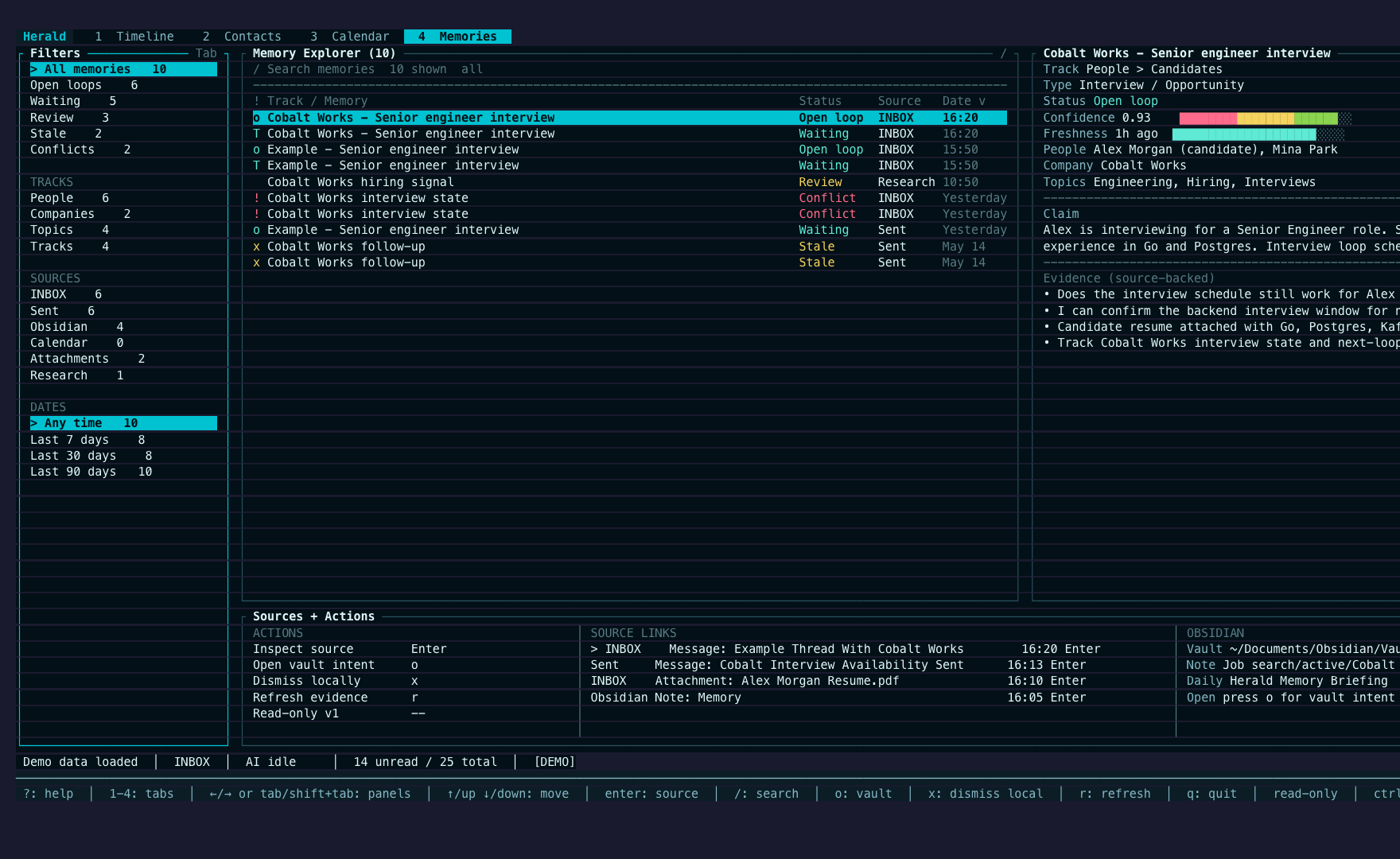
- Herald Memories stores local, source-backed relationship context for people, companies, threads, open loops, Obsidian-friendly Markdown sync, and daily briefing diffs.
- The
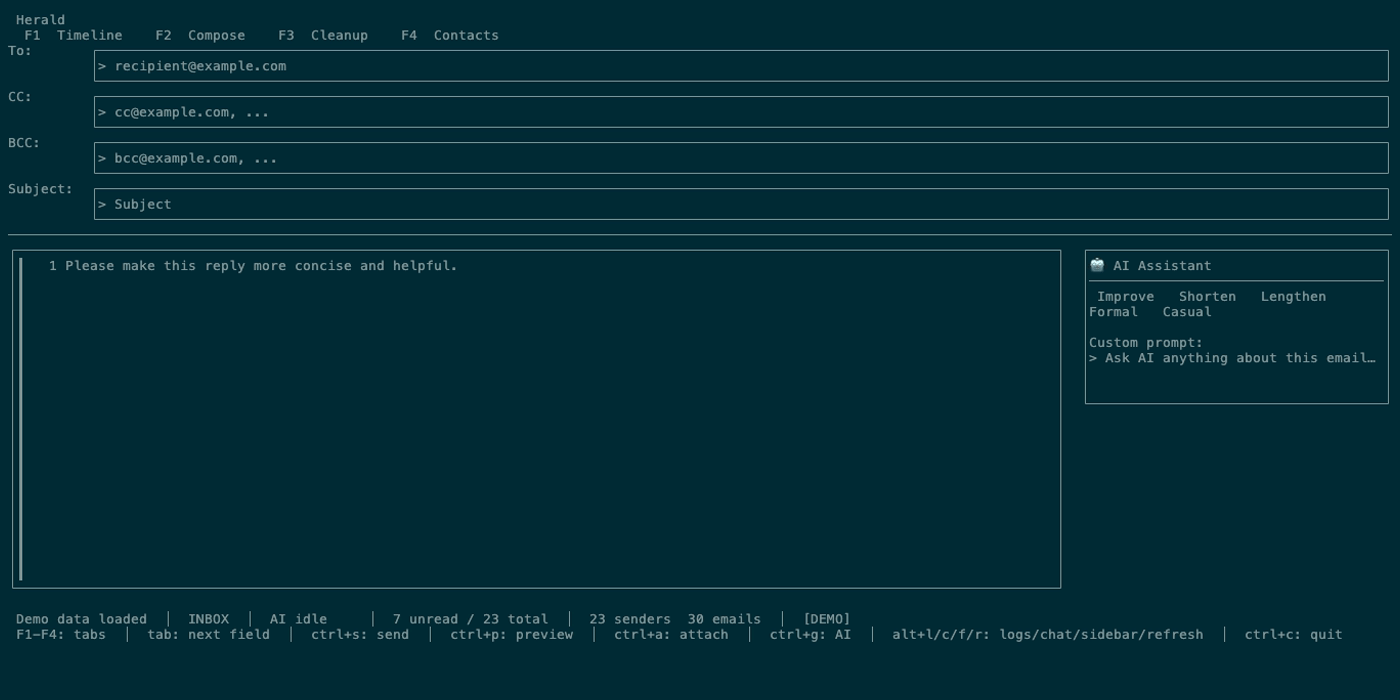
4 Memoriesworkspace lets testers search, filter, and inspect memory tracks, dossiers, source evidence, review states, and Obsidian targets without mutating mail or calendar data. - Compose Radar shows bounded memory nudges in reply drafts when there is high-confidence evidence, while leaving drafts unchanged until the user chooses an action.
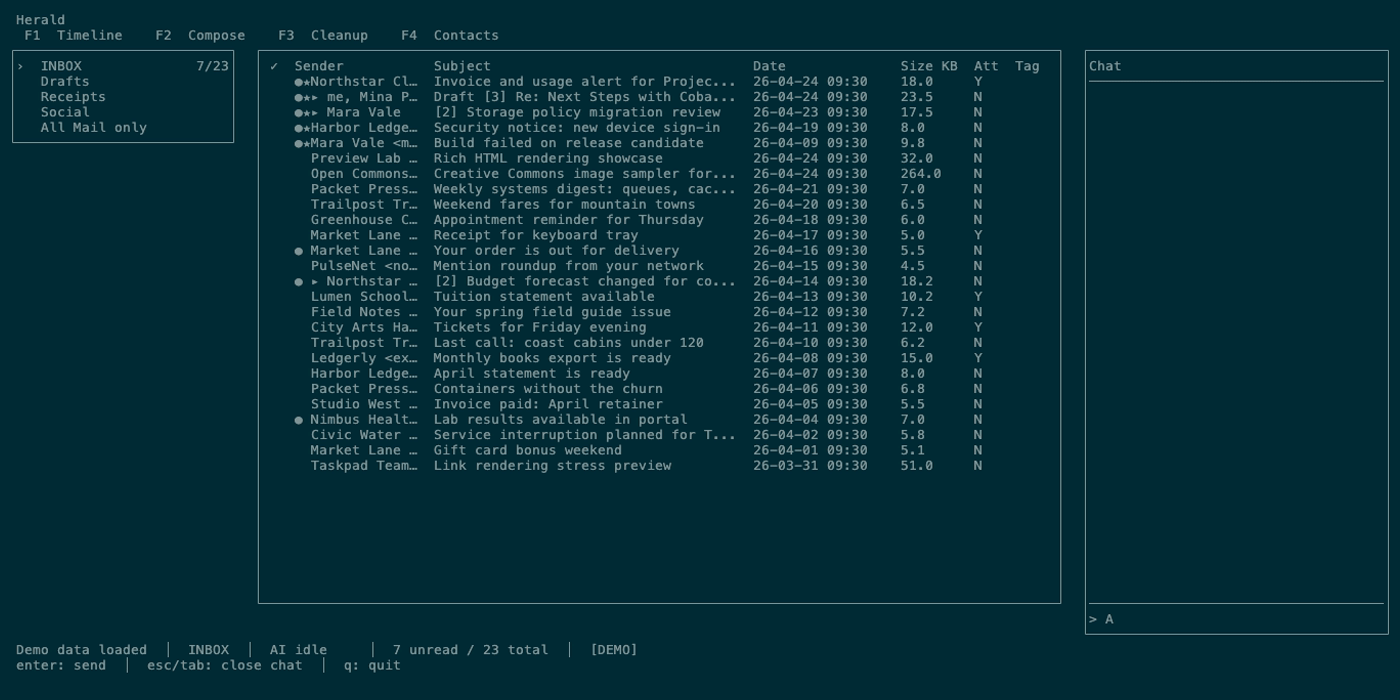
- The chat panel now uses the Gollem-backed UI chat agent path with read-only email and memory tools plus typed Timeline, summary, people, and Compose review intents.
- Chat can project typed Timeline results, so search-like answers can narrow the Timeline without relying on prose filters or legacy control markup.
- macOS email-preview printing opens the standard print dialog for Original Visual or Rendered Markdown modes while preserving remote-image privacy.
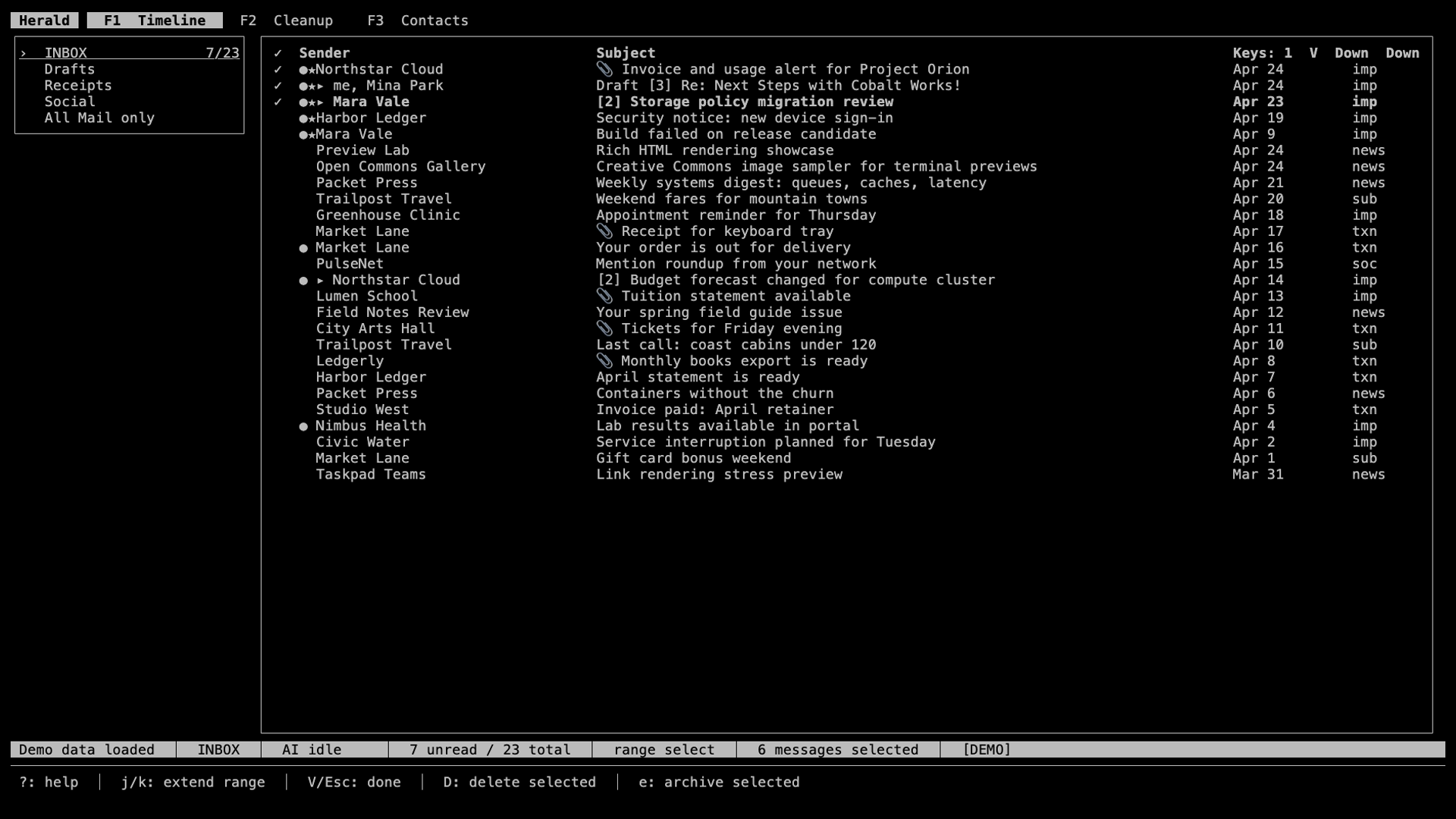
- Timeline reading gained range selection, star highlighting, duplicate-preview-link protection, provider-metadata thread grouping, faster chat reply handling, chat drawer scrolling/focus fixes, and clearer responsive layout coverage.
- AI setup and Settings gained role-based chat and embedding provider choices, external embedding provider support, account-action polish, managed AI scheduling, and repair states for unavailable local models.
- Shared chat retrieval planning makes search-like chat answers, daemon tools, and MCP reads use the same structured query path.
- Cross-account and provider fixes keep Google invitation imports, IMAP new-mail sync, Fastmail CalDAV discovery, Fastmail preset refreshes, memory lookups, archive state, and bulk cleanup mutations scoped to the right account and message refs.
- Preview and Compose polish clears stale inline images before drafting and waits for a loaded preview to dwell before marking a message read.
- Everyday mail actions gained a fast preview unsubscribe shortcut, stable message-ref archive batching, non-ASCII mail header encoding, preserved forwarded attachments, clearer expanded thread reply rows, and a calmer
Alt+Rrefresh shortcut. - Expanded thread rows open the intended reply preview with Enter, and folder counts refresh after bulk archive or delete actions complete.
- Docs and demo-first onboarding now emphasize the v0.7 product state, including Memories, Gollem chat, AI role assignments, and the safer first five minutes loop.
Screenshots
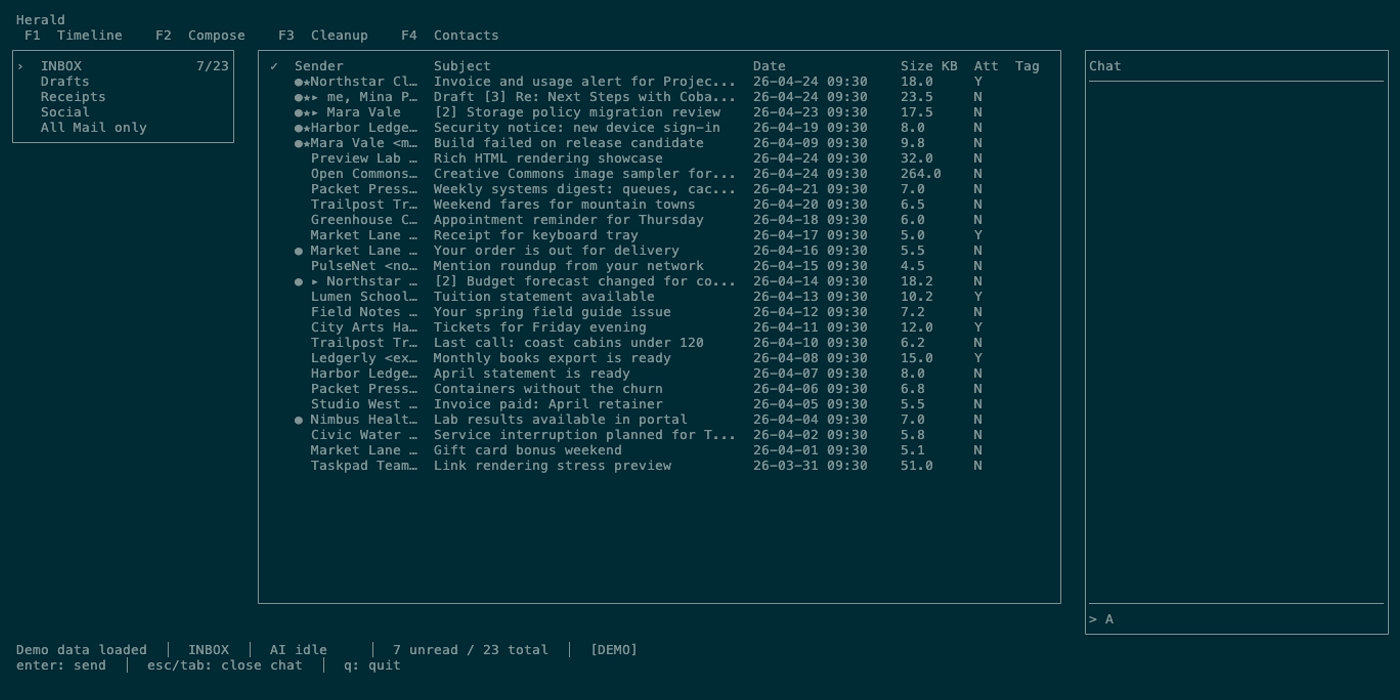
Section titled “Screenshots”These screenshots use committed demo-mode media from the docs site so the page can render without touching a real inbox, calendar, AI provider, or private memory store. The dedicated Memories guide also tracks a Compose Radar screenshot capture for the next media refresh.
Beta Notes
Section titled “Beta Notes”The v0.7 beta line started as a capability release and then tightened cross-account behavior, cleanup mutations, and reading polish. This breakdown helps testers decide what to re-check after upgrading from v0.6 or from an earlier v0.7 beta.
-
v0.7.0-beta.1adds Herald Memories, Compose Radar, Gollem chat intents and tools, macOS preview printing, AI role assignment polish, and Timeline/chat hardening. -
v0.7.1-beta.1adds the shared chat retrieval planner and fixes cross-account Google invitation imports. -
v0.7.2-beta.1aligns mail reply and archive shortcuts, then batches bulk cleanup/deletion by stable message refs for safer multi-account mutations. -
v0.7.3-beta.1scopes new IMAP emails to their account, prunes archived emails from source state, clears stale inline images before Compose, and delays preview read marking until a loaded message has stayed open for 2.5 seconds. -
v0.7.4-beta.1adds the read-only Memories workspace, fast preview unsubscribe shortcut, Timeline star highlighting, provider-metadata thread grouping, duplicate-preview-link protection, Fastmail CalDAV and preset fixes, Settings account-action polish, safer multi-account Memories handling, non-ASCII send headers, preserved forwarded attachments, stable message-ref archive batching, and indented expanded thread replies. -
v0.7.5-beta.1fixes Enter preview targeting for expanded thread replies and refreshes folder counts after bulk mail actions. -
v0.7.5-beta.1completed this release line; newer betas are listed on the current What’s New page. - The release artifacts include
herald,herald-mcp-server, andherald-ssh-serverfor both Apple Silicon and Intel macOS.
How To Try It
Section titled “How To Try It”Demo mode remains the safest path for exploring the visible workflows. Memories and chat features are local and optional; AI-backed chat, Compose suggestions, semantic search, and memory extraction require configured AI before they can produce live assistant output.
brew tap herald-email/heraldbrew install heraldherald --demoFrom demo mode, press g to open chat, S to inspect AI and Memories settings, V then j/k to try Timeline range selection, and R from a Timeline row to open a reply draft where Compose Radar can appear when source-backed memory is available.
Previous Release
Section titled “Previous Release”The v0.6 release line graduated Gmail OAuth onto the Gmail API mail source, made Calendar provider-backed, and hardened multi-account source identity. See What’s New in v0.6 for that historical release checklist.
Next Release
Section titled “Next Release”The v0.8 line adds sending identities, selected-mail folder moves, and native Linux packages. See What’s New in v0.8 for upgrade details.