Search
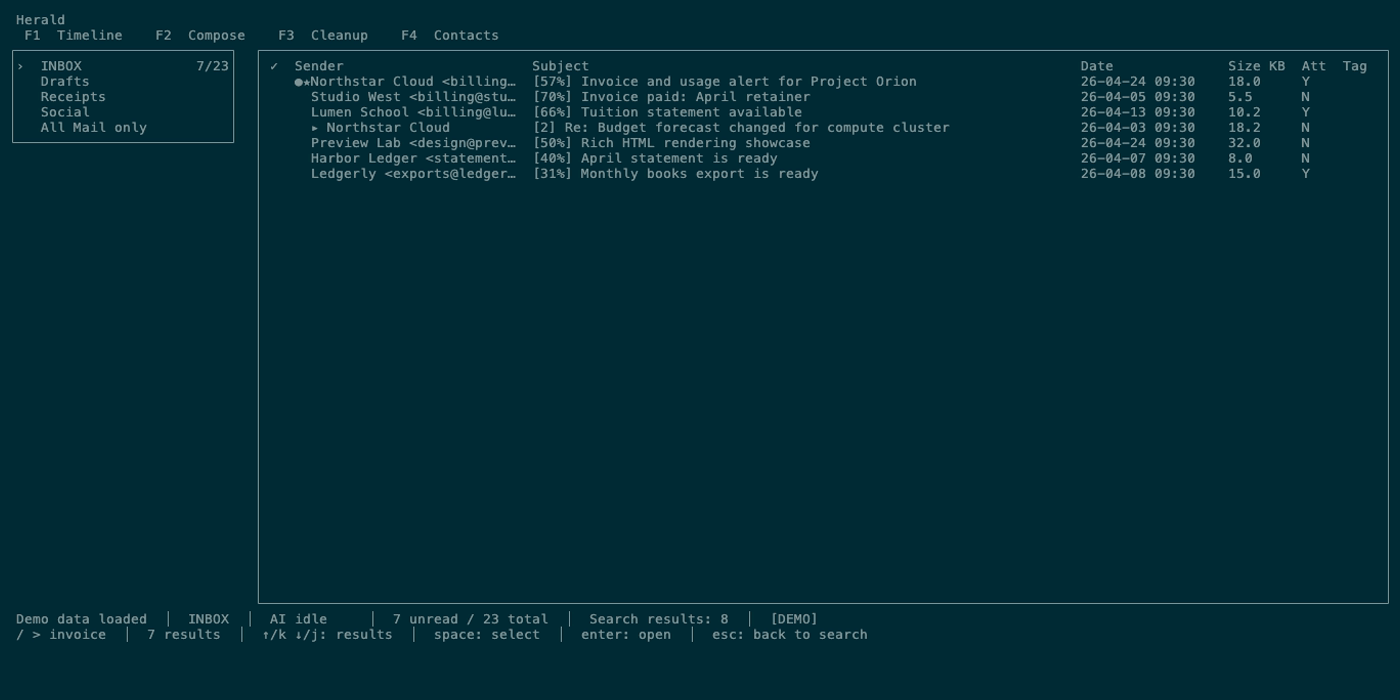
Search in Herald is split between Timeline mail search and Contacts search. Timeline search supports local subject/sender search, cached body search, cross-folder search, semantic search, server IMAP search, and a clear unwind path with esc.
Overview
Section titled “Overview”Use / on Timeline or Contacts to open search. Plain ? opens shortcut help; type a query that starts with ? inside the search input to run semantic search when AI/embeddings are available. Timeline search is optimized for fast local feedback while typing, with explicit prefixes for body, cross-folder, and semantic modes.
Screen Anatomy
Section titled “Screen Anatomy”| Area | What it shows |
|---|---|
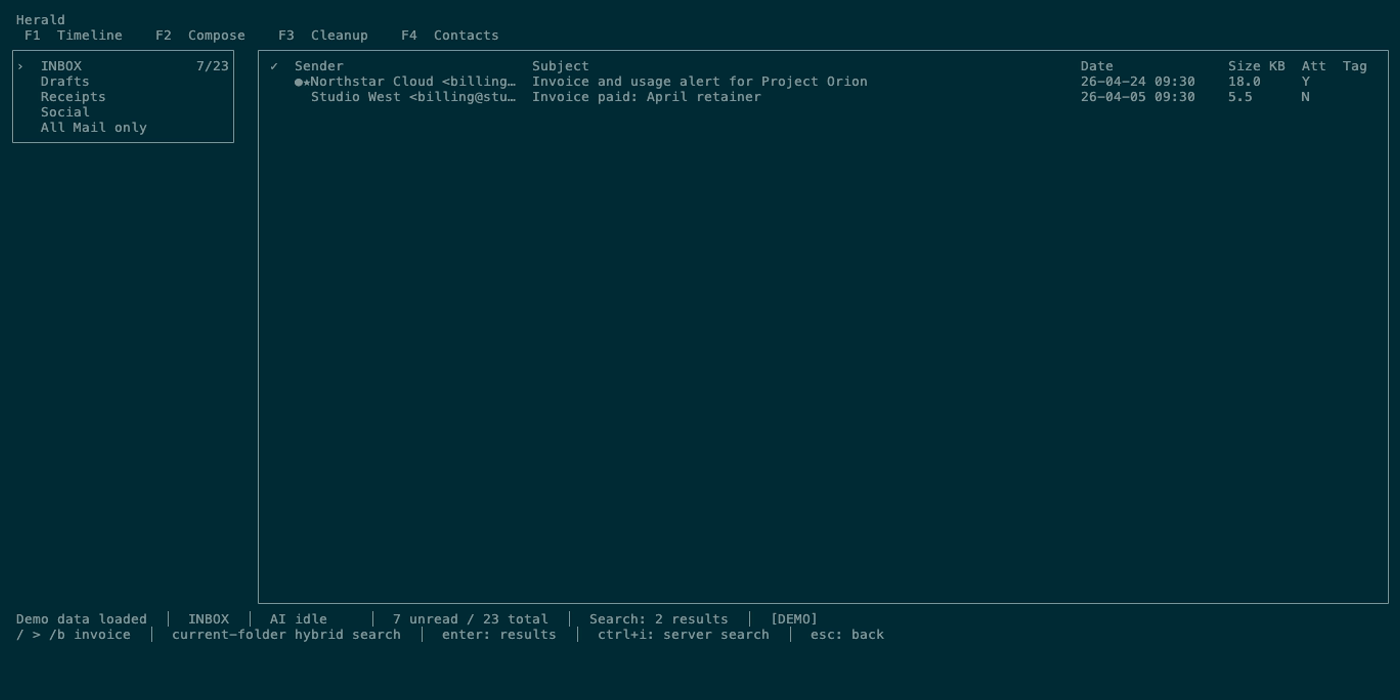
| Timeline search input | Query text, active prefix, and focus state. |
| Timeline search results | Matching email rows in the Timeline table. |
| Timeline status prefix | Search mode label and result/filter state. |
| Search focus | Input focus while typing; result focus after enter or after automatic focus. |
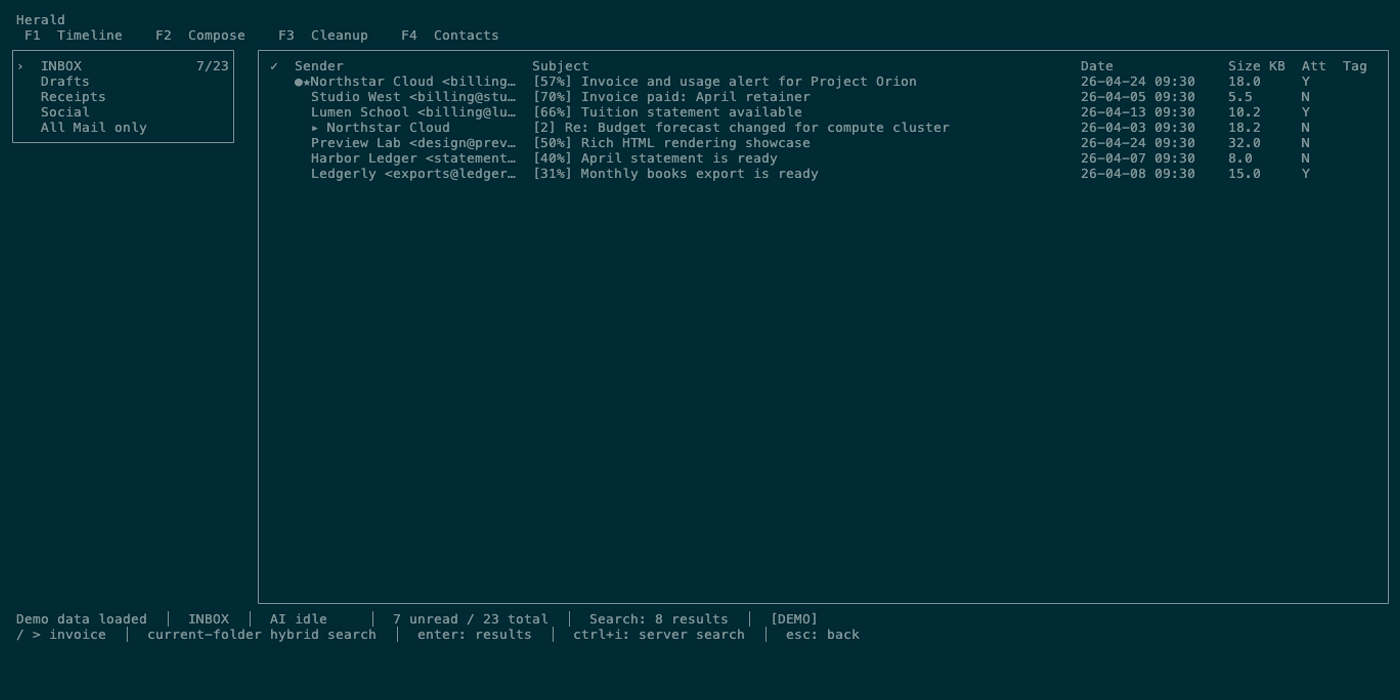
| Server search state | IMAP search results after ctrl+i/tab from the Timeline search input. |
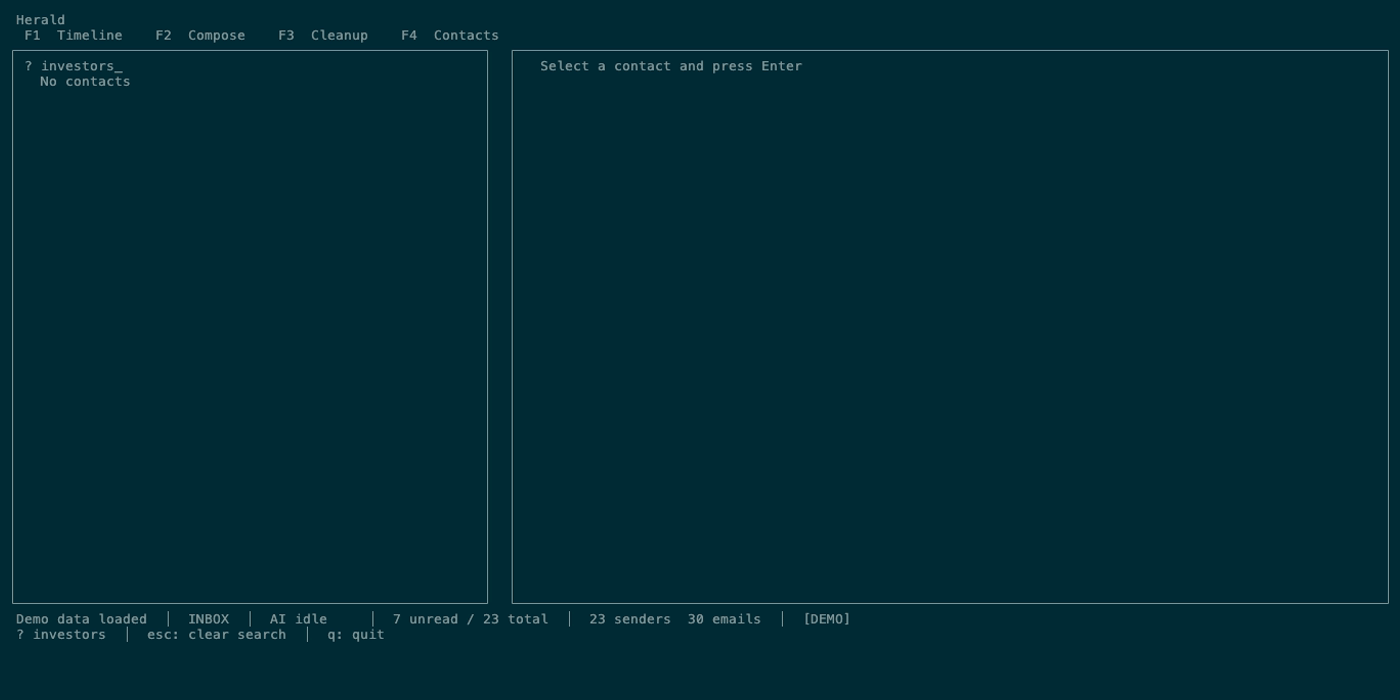
| Contacts keyword search | Slash prompt and filtered contact list. |
| Contacts semantic search | Slash search prompt with a ? query semantic prefix and semantic contact results. |
Controls
Section titled “Controls”| Key or prefix | Context | Preconditions | Result |
|---|---|---|---|
/ | Timeline | Search closed and not loading. | Opens Timeline search input. |
| Plain query | Timeline search | Search input focused. | Runs debounced local search over visible/cached metadata and available semantic support. |
/b | Timeline search prefix | Body search supported for cached bodies. | Searches cached body text through the local body/FTS path. |
/* | Timeline search prefix | Cross-folder search is allowed for current mode. | Searches across cached folders instead of only the current folder. |
? query | Timeline query prefix after / | AI/embeddings available. | Runs semantic search. |
enter | Timeline search input | Query is non-empty. | Runs search or moves focus to existing results for the same query. |
ctrl+i / tab | Timeline search input | Query is non-empty. | Runs server IMAP search. |
esc | Timeline search results | Search results focused. | Returns focus to search input or closes preview first if preview is active. |
esc | Timeline search input | Search input focused. | Clears Timeline search and restores the original Timeline rows. |
/ | Contacts | Search mode closed. | Opens keyword contact search. |
? query | Contacts search after / | AI/embeddings available. | Runs semantic contact search. |
enter | Contacts search | Search mode active. | Confirms current filtered results. |
esc | Contacts search | Search mode active. | Clears search and restores all contacts. |
Workflows
Section titled “Workflows”Search the Current Timeline Folder
Section titled “Search the Current Timeline Folder”- Press
1. - Press
/. - Type a sender, subject word, or phrase.
- Wait for local results or press
enter. - Move through results with
j/k. - Press
enterto open a result.
Search Cached Body Text
Section titled “Search Cached Body Text”- Open Timeline search with
/. - Type
/bfollowed by body text. - Press
enter. - Open matching rows normally.
Body search depends on body text having been cached. Open important messages at least once if you need their bodies available to local search and MCP tools.
Search the Server
Section titled “Search the Server”- Open Timeline search with
/. - Type the query.
- Press
ctrl+iortab. - Wait for IMAP search results.
Server search asks the provider instead of relying only on local cache. Availability depends on the folder and provider.
Use Semantic Search
Section titled “Use Semantic Search”- Open Timeline search with
/. - Begin the query with
?. - Describe the concept, not just exact words.
- Press
enter.
Semantic search uses embeddings and AI availability. If semantic features are unavailable, use plain or body search.
Search Contacts
Section titled “Search Contacts”- Press
3. - Press
/. - Type a plain query for keyword search, or begin with
?for semantic search. - Press
enterto keep results orescto clear.
States
Section titled “States”| State | What happens |
|---|---|
| Debounced local search | Herald schedules search shortly after typing so the UI remains responsive. |
| Result focus | Timeline row navigation applies to the search result set. |
| Preview within results | enter opens a result preview; esc closes preview before clearing search. |
| Search unwind | esc closes preview, then moves results focus back to input, then clears search. |
| Read-only diagnostic | All Mail only disables body, cross-folder, semantic, and server search paths that would not be reliable. |
| Body not cached | Body search misses messages whose bodies have not been fetched into cache. |
| AI unavailable | Semantic search falls back to non-semantic behavior or reports unavailable state. |
| Contacts empty | Contact search has no rows until contacts have been imported or learned from synced mail. |
Data And Privacy
Section titled “Data And Privacy”Local search reads the SQLite cache. Body search reads cached body text. Server search sends the query to the configured IMAP server. Semantic search sends query text and candidate context to the configured AI/embedding backend. Contacts search reads local contact data and, for semantic contact search, local or provider-backed embeddings depending on AI configuration.
Troubleshooting
Section titled “Troubleshooting”If expected body results are missing, open the message once in Timeline so Herald fetches and caches the body, then search again.
If semantic search returns poor results, verify the embedding model is configured and that embedding processing has completed.
If server search returns less than local search, the provider may search only selected fields or the current folder.
If you feel trapped in search, press esc repeatedly until the original Timeline returns.
Screenshot Placeholders
Section titled “Screenshot Placeholders”